Design resources

Tumbler wrap templates

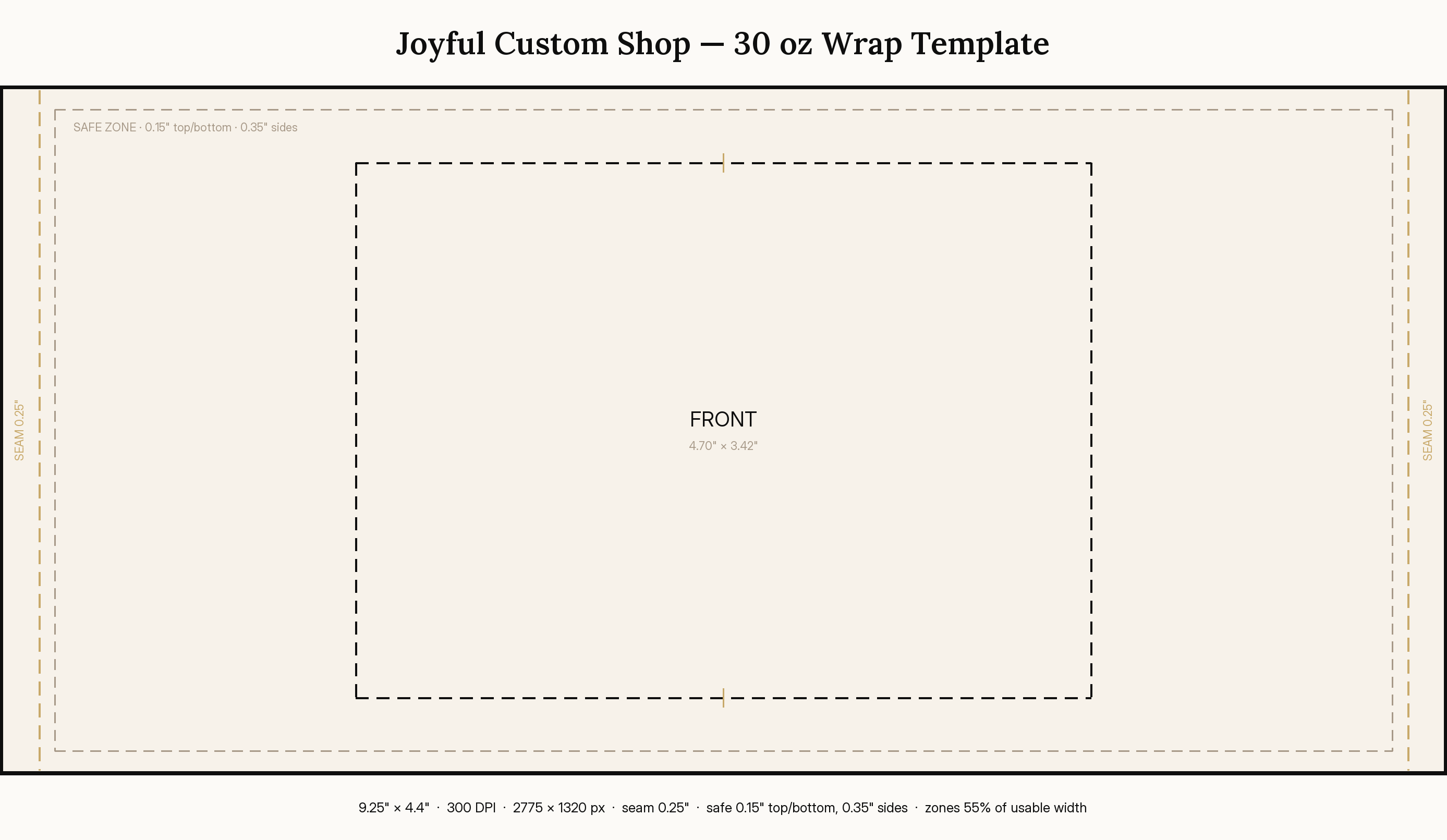
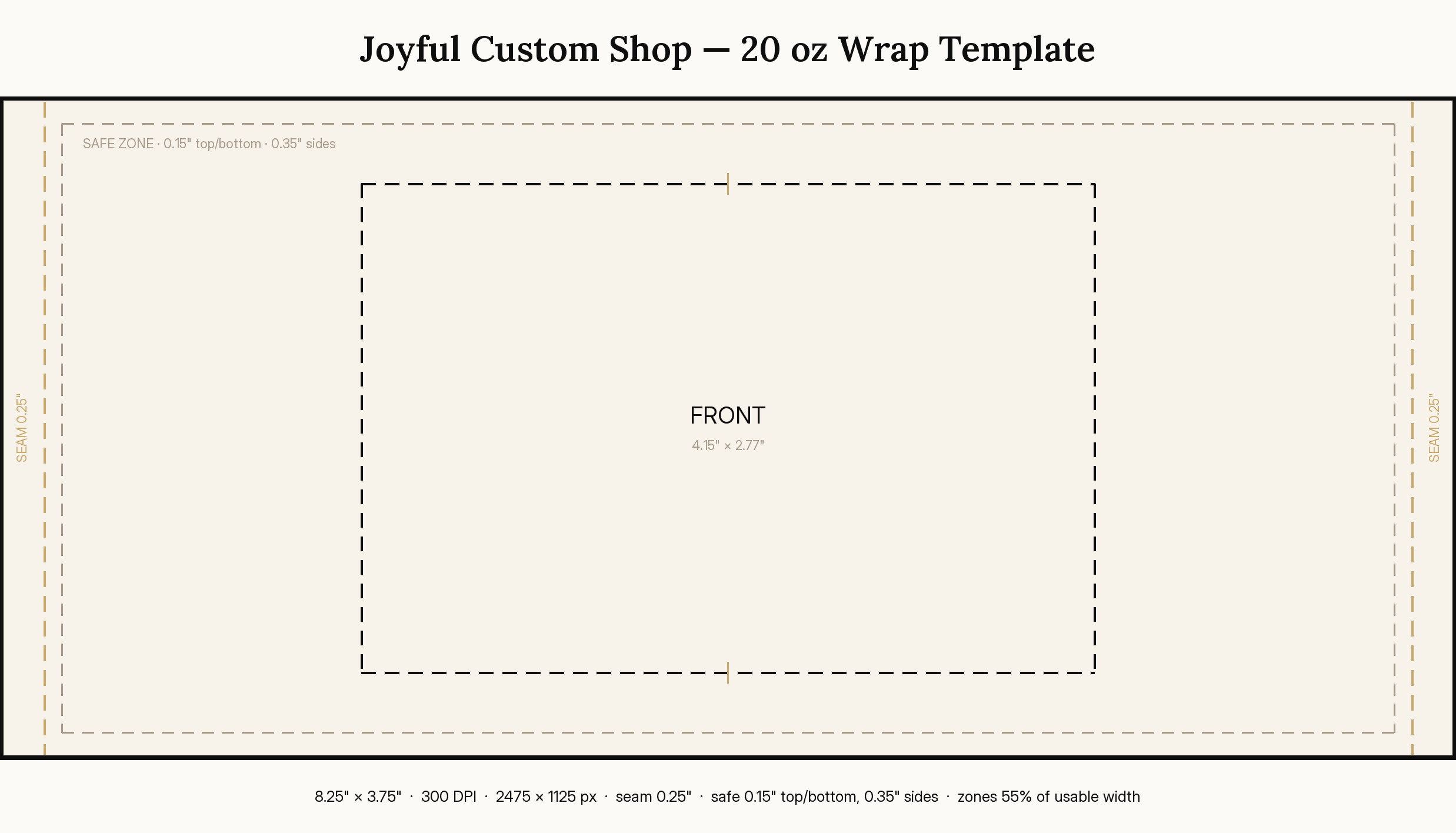
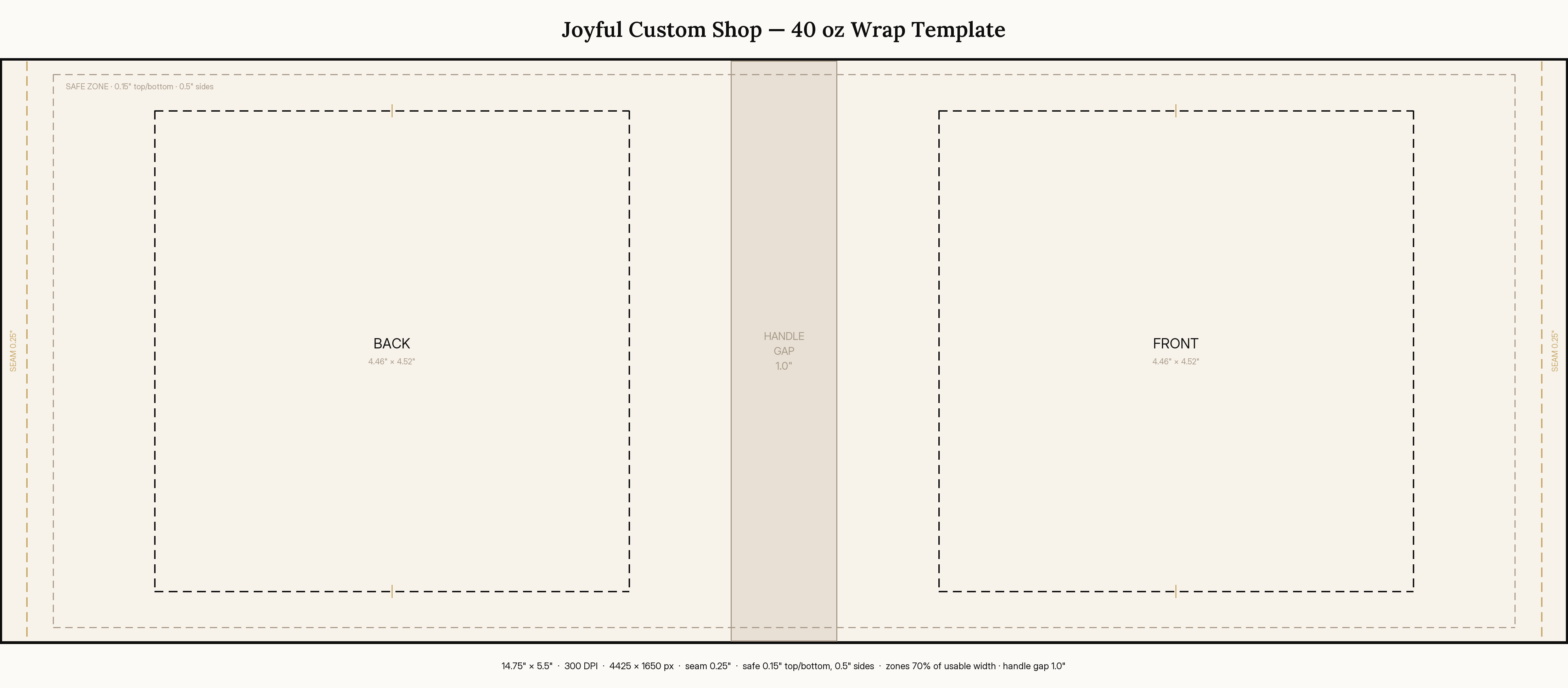
These are blank guide files — no artwork, just the print structure. Open one in your design tool, drop your art into the marked zones, and it will line up correctly on the finished tumbler. Every template is 300 DPI, so the pixel size equals the physical size in inches × 300.

  • Trim border — the outer cut edge of the wrap.
  • Seam allowance — gold dashed lines 0.25" in from the left and right edges, where the wrap overlaps itself.
  • Safe zone — taupe dashed boundary (0.15" top/bottom, 0.35" sides; 0.5" sides on the 40 oz). Keep all text and logos inside it.
  • Print zones — the dashed FRONT (and BACK, on the 40 oz) boxes show where art reads front-and-center on the cup.

Flatten and remove the guide layers before sending files to print — the guides are reference only.

20 oz tumbler wrap template preview showing trim, seam, safe zone and print zones

20 oz tumbler

Standard skinny tumbler full wrap.

Canvas
8.25" × 3.75"
Pixels
2475 × 1125 px
Resolution
300 DPI
Zones
Front zone only — 55% of usable width
Download 20 oz template
30 oz tumbler wrap template preview showing trim, seam, safe zone and print zones

30 oz tumbler

Taller body, same front-zone logic as the 20 oz.
Canvas
9.25" × 4.4"
Pixels
2775 × 1320 px
Resolution
300 DPI
Zones
Front zone only — 55% of usable width
Download 30 oz template
40 oz tumbler wrap template preview showing trim, seam, safe zone and print zones

40 oz tumbler

Handle-gap panel is centered; keep artwork out of it.

Canvas
14.75" × 5.5"
Pixels
4425 × 1650 px
Resolution
300 DPI
Zones
Back + front zones — 70% each, split by a 1" handle gap
Download 40 oz template